JetBrains logo

Developer Community Organizer Playbook

Developer Community Organizer Playbook

Welcome to the JetBrains Developer
Communities Program!

This playbook draws on practical lessons from developer communities around the world. Use it as a reference when planning events, finding speakers, creating a welcoming environment, and working with JetBrains.

1. Choosing an event format

Strong developer communities rarely rely on a single event format. Mixing technical sessions, hands-on activities, and informal gatherings can help keep your community engaging and accessible to different audiences.

When choosing a format, start with what you want the event to achieve, what your members enjoy, and how much time and capacity you have to organize it. A few questions can help:

  • Do you want people to learn something new? Try a talk, curated event, or watch party.
  • Do you want people to learn by doing? A hands-on workshop or live coding session may work best.
  • Do you want more community members to participate? Consider lightning talks, an open space, or a discussion.
  • Is your main goal to help people connect? A casual community evening or open space can work well without a formal agenda.
  • Don’t have a speaker? You don’t need one. Watch parties, open spaces, casual gatherings, and curated content can keep your community active with much less preparation.
  • Is your community distributed across locations? Most of these formats can also work online or in a hybrid setup.

Feel free to mix formats based on your goals, capacity, available speakers, and what your community responds to. A hands-on workshop one month and an informal discussion the next can work just as well. Variety can help you discover what works best for your community.

Talks and presentations

Traditional meetup talks remain one of the simplest ways to bring developers together to connect and share practical knowledge. They work particularly well for:

  • Introducing a technology, tool, or workflow.
  • Sharing lessons from real projects.
  • Presenting product or ecosystem updates.
  • Hosting guest speakers.

Whenever possible, encourage speakers to focus on experience rather than theory. Demos, concrete examples, and lessons learned usually lead to better conversations.

A straightforward agenda might include:

  • A welcome address and introductions.
  • One or two talks.
  • Audience questions.
  • Informal discussion and networking.
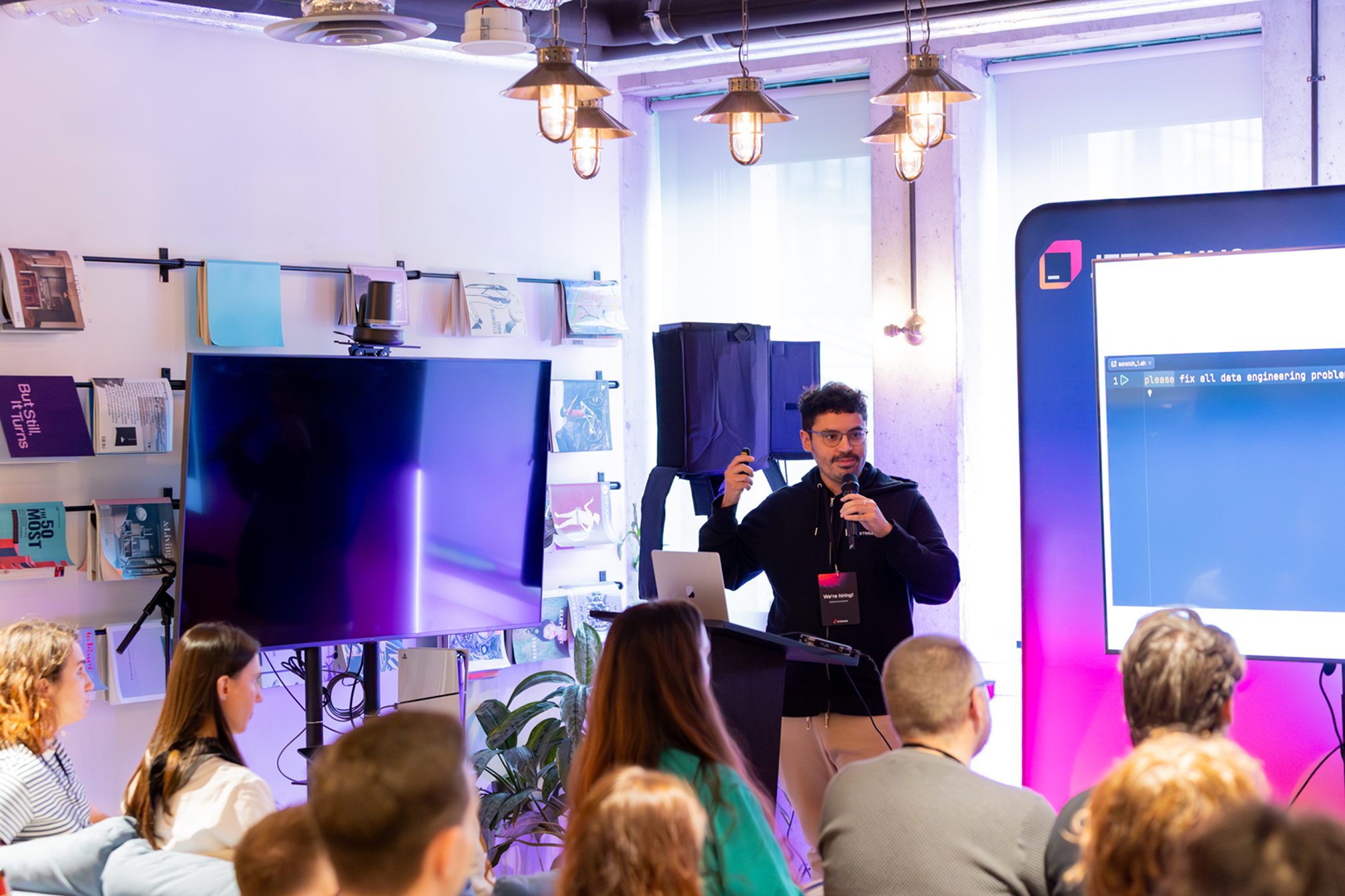
A speaker presenting with a microphone to a seated audience at a JetBrains meetup, with a large code screen behind them.

Leave enough time after each session for attendees to ask questions and connect the topic to their own work.

Hands-on workshops

Workshops give attendees an opportunity to learn by doing. They are especially useful for skill building, exploring tools, and collaborative learning. Good workshop topics include:

  • Live coding.
  • Building a small application together.
  • Debugging or testing techniques.
  • Development environment setup.
  • Productivity and tooling workflows.

Keep the setup as simple as possible. Share prerequisites in advance, test all examples beforehand, and account for different experience levels.

Technical issues are inevitable, so leave room for troubleshooting. A session with a smaller scope that participants can complete is usually more valuable than an ambitious workshop that runs out of time.

Panels and group discussions

Panels are useful when a topic benefits from several perspectives, such as career development, ecosystem changes, or industry trends.

A moderator should guide the discussion, keep the conversation moving, and make space for audience participation. Prepare a few questions in advance, but avoid scripting the entire session. The most interesting moments often come from follow-up questions and disagreements between speakers.

Casual community evenings

Not every gathering needs speakers, slides, or a formal agenda. Informal events can strengthen relationships and make a community feel more inviting. Possible formats include:

  • Coffee meetups.
  • After-work gatherings.
  • Topic-based networking.
  • Informal conversations about tools or industry trends.
  • Small local get-togethers.

These events are useful for maintaining momentum, welcoming newcomers, and giving attendees more time to get to know one another. What feels natural will vary by region and community. Experimentation is encouraged.

Lightning talks

Lightning talks make it easier for more community members to contribute. They are also a good entry point for first-time speakers who may not be ready to prepare a full session.

Keep each talk to around 5–10 minutes, and encourage speakers to share one focused idea, a practical lesson, or a short demo.

These sessions can also help organizers identify topics and speakers for future full-length talks.

Watch parties

Watch parties are a relatively effortless way to organize a community gathering around existing technical content. They can be an effective way to maintain a regular schedule without arranging a new speaker lineup for every event.

A group might meet to watch:

  • Conference sessions.
  • Livestreams.
  • Product announcements.
  • Recorded workshops.
  • Selected talks around a common theme.

Shared discussions are often as valuable as the content itself. Consider adding breaks between sessions, a post-stream discussion, an informal Q&A, or networking over food and drinks.

Curated events

Curated events use existing conference, educational, or product content as the basis for a local community program. Examples include:

  • Community editions of conference sessions.
  • Guided viewing events.
  • Themed evenings focused on one topic.
  • Workshops based on existing materials.
  • A selection of talks followed by local discussions.

Depending on the topic and availability, JetBrains may be able to provide presentation materials, workshop content, recordings, speakers, or product experts.

This format can reduce preparation time while still giving attendees a structured, high-quality technical experience.

Open space sessions

Open space events are participant-led. Instead of preparing a fixed agenda, attendees suggest topics and help shape the discussion. They work well for:

  • Knowledge sharing.
  • Networking.
  • Brainstorming.
  • Collaborative problem-solving.
  • Involving community members who do not want to give a formal presentation.

Begin with a broad theme or prompt, invite attendees to propose discussion topics, and divide into smaller groups when appropriate.

Organizers should pay attention to group dynamics and encourage quieter participants to join the conversation. Open space sessions can be especially effective between larger meetups.

Online and hybrid events

Most formats in this guide can be adapted for remote or hybrid participation, including workshops, discussions, lightning talks, watch parties, and informal gatherings.

Online events need to be designed around remote interaction rather than treated as in-person events with a video link added. A few practical considerations:

  • Prioritize clear audio.
  • Keep sessions shorter than comparable in-person events.
  • Use chat, reactions, polls, or breakout discussions to involve participants.
  • Give remote attendees a clear way to ask questions.
  • Record sessions when possible and with speakers’ consent.
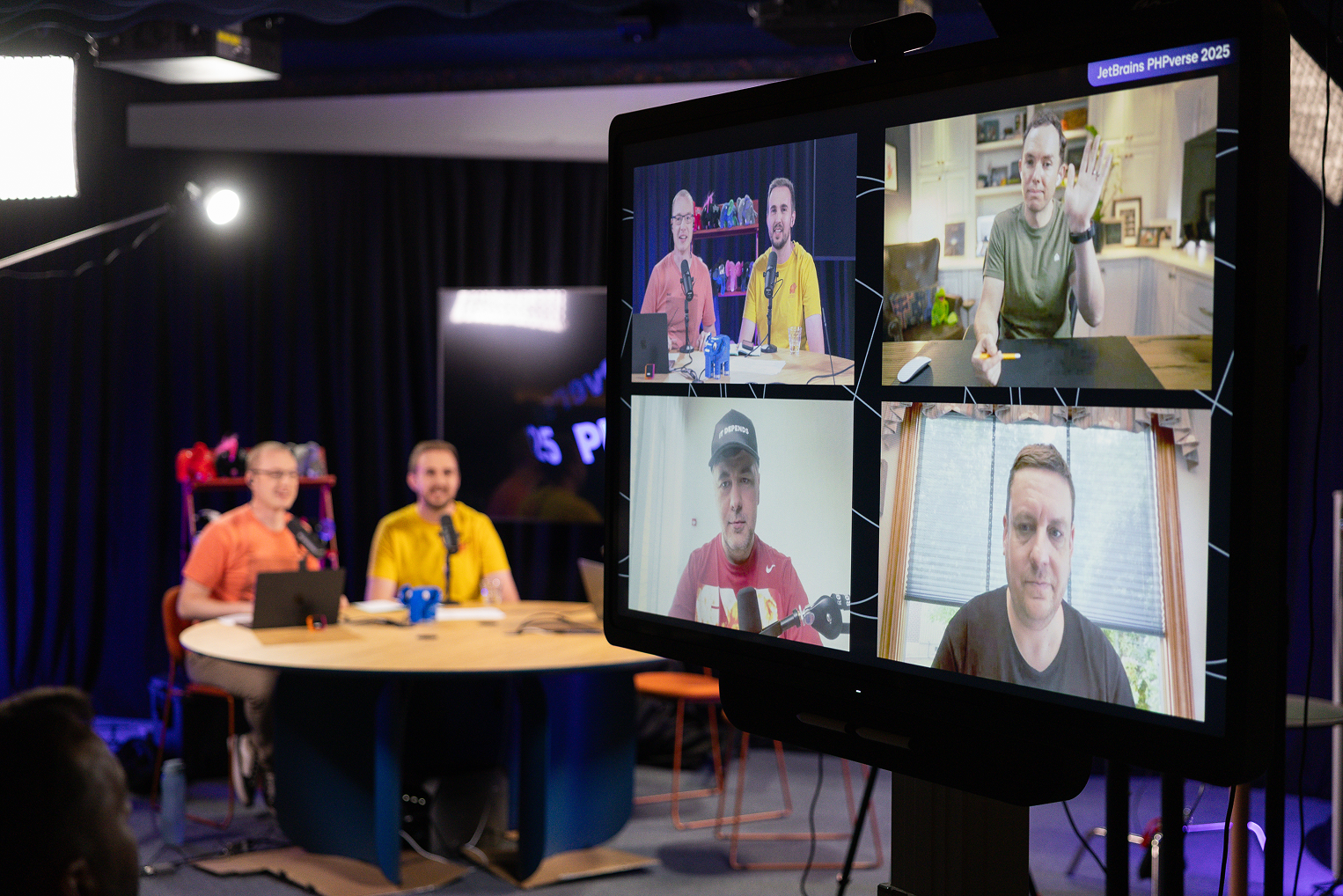
For hybrid events, make sure remote attendees can hear both the speaker and questions from the room.

General event principles

A few principles apply across most formats:

Consistency matters more than perfection.
Smaller, regular events are often more sustainable than occasional large ones.
Practical and interactive sessions tend to encourage stronger participation.
Attendees should have opportunities to speak with one another, not only listen.
A simple format that organizers can maintain is better than an ambitious one that creates burnout.

2. Finding and supporting speakers

Finding speakers is a common challenge, especially for newer communities. Over time, the goal is to build a network that includes both visiting experts and local community members.

Start with people you already know

Potential speakers are often already attending your events. Look for community members who have:

  • Solved an interesting technical problem.
  • Built a tool, library, or project.
  • Migrated between technologies.
  • Improved a team’s workflow.
  • Contributed to open source.
  • Experimented with a new approach.
  • Learned something through failure.

Many people do not think of themselves as speakers, but they may still have valuable experience to share. A meetup talk does not need to be a polished conference presentation.

Look beyond the meetup

Open-source maintainers

Local technology companies

Developer advocates

Educators and trainers

Other potential sources for speakers include:

University groups

Active contributors to local technical communities

Regular meetup attendees

When contacting someone, include the event topic, expected audience, format, timing, and what kind of contribution you have in mind.

Make speaking feel approachable

The easier the process feels, the more likely people are to participate. You can lower the barrier by:

  • Offering lightning talks or shorter sessions.
  • Helping speakers refine a title or abstract.
  • Reviewing slides before the event.
  • Suggesting a clear scope.
  • Allowing first-time speakers to present with a colleague.
  • Explaining what to expect from the audience.
  • Sharing the event format in advance.

A personal invitation often works better than a general call for speakers. Tell the person what you found interesting about their experience and why it could benefit the community.

Prioritize practical experience

Talks based on real work usually generate the strongest engagement. Example topics include:

  • What We Learned Migrating to…
  • Debugging a Production Issue in…
  • How We Improved Our Development Workflow by…
  • Mistakes We Made While Building…
  • What Changed After We Introduced…
  • Lessons from Maintaining an Open-Source Project

Speakers do not need to present a perfect success story. Honest accounts of tradeoffs, failed approaches, and unexpected results are often more impactful.

Stay connected after the event

Thanking the speaker publicly, with their permission

Sending photos or recordings

Sharing attendee feedback

Inviting them to participate again

Speaker relationships should not end when the session is over. These small steps help create a speaker network that grows naturally over time. After an event, consider:

Asking for recommendations or future topic ideas

Introducing them to other organizers when relevant

Speaker support from JetBrains

JetBrains may be able to help connect communities with speakers, depending on the topic, location, timing, and availability. When contacting us, please include:

  • The topics you are interested in.
  • The planned event date and format.
  • The expected audience.
  • The community’s location.
  • Whether the session will be in person, online, or hybrid.

Contacting us early gives us more time to explore suitable options.

3. Code of conduct basics

A clear code of conduct helps set expectations and creates a safer environment for attendees, speakers, volunteers, and organizers.

It does not need to be complicated, but it should explain:

  • What respectful behavior looks like.
  • That harassment and discrimination will not be tolerated.
  • How attendees can report a concern.
  • Who will receive reports.
  • What action organizers may take.

Please also review the JetBrains-recommended Code of Conduct when preparing your community guidelines.

Core principles

Be welcoming

Help newcomers understand how the event works and make it easier for them to participate.

Be respectful

Treat attendees, speakers, volunteers, venue staff, and organizers with consideration.

Be constructive

Disagreement is normal in technical communities, but discussions should remain focused on ideas rather than individuals.

Be inclusive

Make space for people with different backgrounds, communication styles, and levels of experience.

Before and during the event

Make the code of conduct easy to find. Include it on your website, event page, or registration form, and mention it briefly at the beginning of the event.

Attendees should know how to contact an organizer privately if they need help. Organizers should also agree in advance on who will handle reports and how decisions will be made.

Responding to concerns

When someone reports a problem:

  • Listen carefully.
  • Avoid dismissing or debating their experience.
  • Prioritize immediate safety and comfort.
  • Take action promptly when necessary.
  • Document important details.
  • Limit sensitive information to the people who need it.

Not every situation will have a simple solution. A consistent process helps organizers respond more fairly and responsibly.

4. Working with JetBrains

Developer communities grow because people show up, share what they know, and help one another learn.

JetBrains supports these communities because they’re often where new ideas, tools, and practices first take shape. We’ve seen again and again that a welcoming local meetup or an active online group can spark curiosity, build confidence, and connect developers who might never meet otherwise.

Our role is simple: make it easier for organizers to run events, find speakers, and give their members a good experience. Sometimes that means providing learning materials or connecting you with a product expert; other times it’s offering a venue, a giveaway, or just helping you keep momentum between larger meetups. The goal is always the same – to help your community thrive in a way that feels natural to you.

Types of support

Support may include:

  • Prize drawings and giveaways of JetBrains swag or complimentary JetBrains IDE subscriptions.
  • Ready-to-use presentation or workshop materials.
  • Help identifying potential speakers.
  • Sponsorship for selected events.
  • Access to JetBrains offices as meetup venues, where available.
  • Visibility through JetBrains communication channels.

Not every option is available for every event, but sharing your plans early helps us understand what may be possible.

Requesting support

Topic or agenda

Event format

The event date

Location or online platform

When reaching out about an event you’re planning, please include:

Expected number of attendees

Audience background

Links to the community or event page

The specific type of support you are requesting

It is also helpful to explain what you hope the event will achieve. For example, you may want to introduce a technology, help beginners build practical skills, reconnect a local community, or highlight local speakers.

Featuring JetBrains support

We appreciate communities acknowledging JetBrains support on event pages, websites, social posts, or presentation slides.

You may use JetBrains support badges or a short text mention, depending on what fits your platform and visual style. Suitable placements include:

  • Community websites.
  • Event registration pages.
  • Meetup or community platforms.
  • Social media posts.
  • Event presentations.
  • Recap articles or videos.

Please avoid modifying JetBrains logos or badges, changing their proportions, or using them in a way that could create a misleading impression about the relationship. For more details, see the guidelines on using JetBrains brand assets.

Suggested text mentions

If a badge doesn’t fit your community style or platform, we’d still be happy if you mention JetBrains support using one of the examples below. Feel free to adapt these texts to match your community’s tone.

Short mentions

  • “Supported by JetBrains”
  • “Proudly supported by JetBrains”
  • “[Community Name] ❤️ JetBrains”
  • “[Community Name] × JetBrains”

Event or meetup descriptions

  • “This community is supported by JetBrains.”
  • “This community is part of the JetBrains Community Network.”
  • “This event is supported by JetBrains through the JetBrains Developer Communities Program.”
  • “JetBrains supports our community with tools and resources for developers.”

Social posts

  • “Thanks to @JetBrains for supporting our developer community!”
  • “We’re organizing this event with support from @JetBrains.”
  • “Our community is supported by @JetBrains.”

Sponsor description

“JetBrains creates professional software development tools used by developers and teams around the world.”

Suggested hashtags

  • #JetBrainsCommunities
  • #SupportedByJetBrains

For questions about logos, acknowledgments, or branding, contact community-support@jetbrains.com.

Sharing community feedback

Community organizers often see emerging needs and trends before they appear in broader reports. Your observations can help JetBrains better understand developer workflows, common tooling challenges, technology and ecosystem trends, and regional differences in developer communities.

From time to time, we may also invite organizers or members to take part in surveys and share feedback with JetBrains product teams.

You do not need to wait for a formal survey. Simply send your observations, experiments, concerns, or ideas to community-support@jetbrains.com.

Community stories and visibility

We regularly feature developer communities and organizers through JetBrains’ communication channels. Possible opportunities include:

  • Blog stories.
  • Newsletter mentions.
  • Social media features.
  • Organizer interviews.
  • Event recaps.

If your community has an interesting story, we’d love to hear about it. We are especially interested in stories that may help other organizers. These could include an unusual event format, an interesting experiment, a lesson learned, or an approach that strengthened the community.

To share a story or suggest a community feature, email community-support@jetbrains.com.

Contacts

The JetBrains Developer Communities Program is led by the Community Programs team. We can help you communicate feedback to our IDE teams or others at JetBrains.

Please reach out to us at community-support@jetbrains.com. We’re eager to assist if you need guidance with your community or more information on the program.